Real Piano electronic keyboard
Kolb AppsMusic
4.54.25K Reviews
- Version
- 5.47.1
- Installs
- 10.00M
- Age Rating
- Everyone
Screenshots
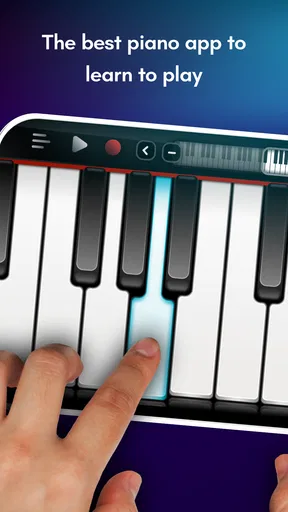
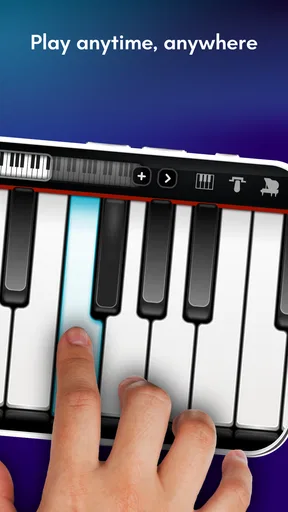
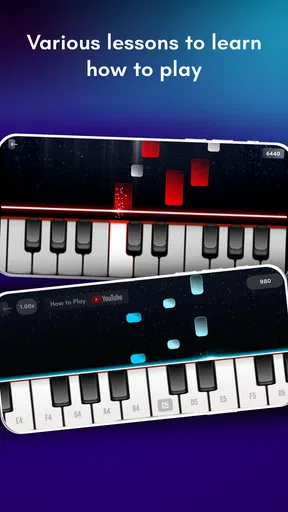
Our Review of Real Piano electronic keyboard
 Analysis by Appyee
I reach for Real Piano when I want a quick way to try a melody without setting up an instrument. It is a music game from Kolb Apps, but its appeal is less about beating levels and more about having a keyboard ready for a spare moment. I find that distinction useful: this is a convenient touch-screen instrument and practice companion, not a substitute for sitting at a full-size piano.
What to expect when you open it
The main attraction is immediacy. On a phone, a piano app can feel cramped before you have played a note, so the option to adjust the visible range matters in practical ways: a narrower keyboard can make a short exercise easier to follow, while a broader layout gives more room to explore. I would start with fewer keys if I were learning a phrase, then expand the view when I needed a wider span.
That flexibility does not remove the physical limits of glass. Screen keys cannot offer the resistance, travel, or tactile landmarks of a real keyboard, and tapping quickly with several fingers takes adjustment. I get the most out of this sort of setup when I treat it as a way to test ideas, rehearse note order, or build familiarity with a tune—not as a complete replacement for hands-on piano practice.
First Impressions and Interface
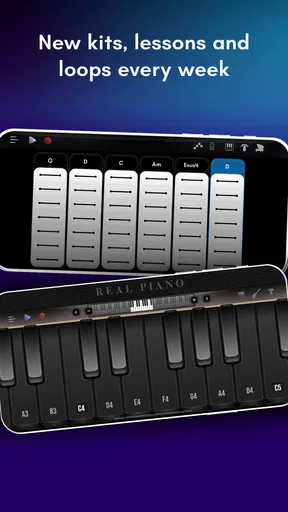
First off, let’s talk about the interface. The Real Piano electronic keyboard app greets you with a clean and intuitive layout. Everything is within reach, so you won’t find yourself getting lost in a sea of buttons. The design is sleek, with a realistic keyboard look that makes you feel like you’re sitting in front of a grand piano. Pretty neat, right?
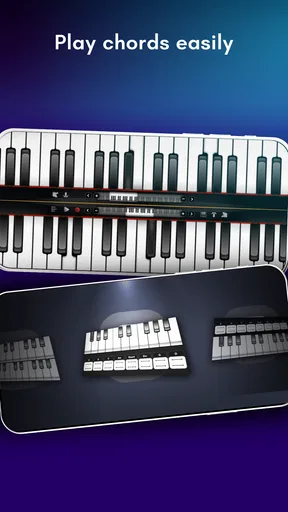
The keys are responsive, and there’s a satisfying feel to them, even though you’re just tapping on a screen. You can easily adjust the number of keys displayed, which is perfect for those who want to focus on a smaller range or go all out with a full 88 keys. It’s like having a piano studio in your pocket.
Features Galore
Now, onto the juicy part: features. This app isn’t just about playing notes. It’s packed with options that cater to both beginners and advanced players. There’s a song library, complete with sheet music, so you can learn to play popular songs in no time. Whether you’re into classical pieces or modern hits, there’s something for everyone.
For those looking to improve their skills, there’s a handy record and playback feature. You can listen to what you’ve played and spot areas for improvement. Plus, you can save your masterpieces and share them with friends. Who knows, you might just become the next big thing!
And for the tech-savvy musicians out there, MIDI support is a game-changer. You can connect your devices and use the app as a controller for your digital audio workstation (DAW). It’s a fantastic way to integrate your mobile music-making into a broader setup.
A useful way to practice, with limits
The song library and sheet music make the app more purposeful than a bare keyboard screen. I would use them to get a first look at a tune, identify where the notes move, and then repeat a small passage rather than trying to master an entire song in one sitting. The record-and-playback option adds another practical step: listen back for uneven timing or a missed note instead of relying on memory, which can be surprisingly unreliable when you are concentrating on the next phrase.
A small-screen workflow works best when you reduce distractions. I’d pick a comfortable key range, keep the phone steady, and practise one hand or a short section at a time. That is a more realistic use than trying to play a wide, fast arrangement with both hands on a phone. On a tablet, the extra room should make the keys easier to target, though it still will not create the feel of weighted keys.
The learning tools can help a beginner follow visual instructions and get a sense of timing, but I would not rely on an app alone to correct posture, fingering habits, or hand tension. Those things are hard to judge from a screen. If you are preparing for formal lessons or developing technique, use the app as a supplement and practise on a physical keyboard when possible.
Learning and Practicing
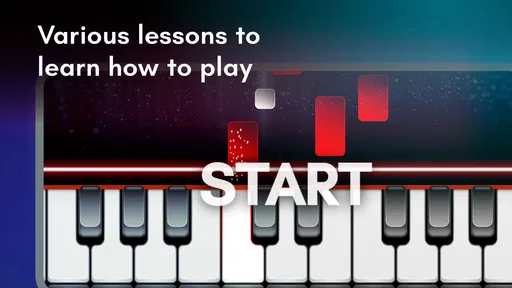
If you’re learning piano, this app is a great aid. The lessons are interactive, guiding you through step-by-step instructions. It’s like having a personal tutor who’s always available. The visual feedback is a helpful touch, showing you which keys to press and when. This kind of immediate feedback is crucial for building muscle memory and understanding timing.
One feature I really appreciate is the adjustable tempo. You can slow down tricky sections and gradually increase the speed as you get more comfortable. This is a tried-and-true method for mastering complex pieces.
Everyday play and heavier sessions
For a realistic everyday use, imagine waiting for a family member at an appointment with a few minutes to spare. You can open the keyboard, work through a melody you already know, and use playback to check whether the rhythm sounds close to what you intended. That is where a phone-based instrument shines: no piano to reserve, move, or tune, and no need to turn a brief break into a formal practice session.
Longer sessions call for a different approach. Repeated tapping can become tiring, and on a small display your fingers may cover neighboring keys or make accurate jumps awkward. I would switch to a larger screen for extended practice, keep the tempo conservative while learning a passage, and take breaks rather than pushing through sloppy repetitions. The app’s convenience is real, but convenience does not automatically make a touch keyboard comfortable for an hour of focused playing.
It also helps to decide what a recording is for before you begin. A quick playback is useful for checking a phrase, while a saved performance can capture an idea before you forget it. Neither should be treated as a polished studio recording without listening carefully on the device or headphones. For composing with a computer, MIDI support is the more relevant bridge; for casual sharing, a short saved take may be enough.
Sound Quality
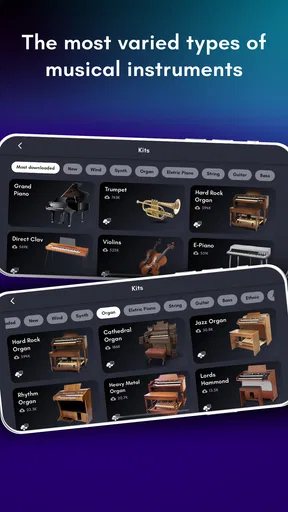
Alright, let’s talk sound. The app boasts high-quality samples that make it sound like you’re playing a real piano. The tones are rich and full, with a variety of instruments to choose from. Whether you’re in the mood for a grand piano, electric piano, or something more exotic, the app has got you covered.
The audio fidelity is impressive, especially if you plug in headphones or connect to external speakers. You can really immerse yourself in the music, and it’s a pleasure to hear every note resonate clearly.
How it compares with other music apps
Compared with a simple virtual keyboard, this app brings learning material, playback, and a route into a DAW through MIDI, so it has more uses than tapping out notes for amusement. Compared with a dedicated piano-learning course, its appeal is the ability to play freely and experiment with different sounds rather than follow only a structured lesson path. That makes it a flexible middle ground, though anyone seeking a full curriculum, detailed technique coaching, or realistic key action may be better served by lessons and a physical instrument.
It is also not the same as a full music-production workstation. MIDI support can make the keyboard useful as a controller, but the app’s strongest everyday role is still playing and practice on a mobile device. If your priority is arranging complete tracks with extensive editing, a dedicated DAW is the better tool; if you simply want to sketch a melody while away from your setup, this is a more approachable place to start.
Sound, connection, and practical trade-offs
Headphones are a considerate choice when practising around other people, and they can make it easier to hear details without turning up a speaker. External speakers suit a shared casual session, but they do not change the touch response of the keys. For a player using MIDI with a DAW, the useful question is whether the mobile workflow fits the setup they already have; it is not a reason to assume the phone will feel like a conventional controller.
One non-obvious trade-off is that a wider key display can make more notes available while shrinking each target on a phone. If accuracy matters more than range, I would choose a smaller visible span, practise the passage, then shift the range when the music moves beyond it. This is less dramatic than having every key visible at once, but it can reduce accidental taps and make short exercises less frustrating.
Usability and Performance
In terms of performance, the app runs smoothly. I didn’t experience any lags or crashes, which is crucial when you’re in the middle of a creative flow. The developers have done a solid job ensuring that the app performs well across different devices.
The app is also lightweight, so it won’t hog your device’s resources. This is a big plus, especially if you’re running it on older hardware. It’s optimized to provide a seamless experience, whether you’re practicing at home or jamming with friends.
Speed, stability, and device fit
For a piano app, speed is most noticeable in the moment between tapping a key and hearing it. In my use, the keyboard felt responsive enough for ordinary practice and casual playing. That is a more useful expectation than judging it by how quickly menus appear: even a fast interface would not help if a note felt delayed, while a small amount of audio latency can matter a great deal to a player trying to keep a tight rhythm.
Performance can vary with the phone or tablet, audio route, and whatever else is running, so I would test a short passage before relying on it for a live or time-sensitive use. If the sound feels late through an external setup, try the built-in speakers or headphones as a comparison and simplify the connection before blaming your timing. This is a practical check, not a guarantee that every device will behave identically.
The app is free to download, with in-app purchases ranging from $1.99 to $18.99 per item. I would begin with the available playing and learning options before spending anything, then decide whether the additional content or tools match a specific need. Its Everyone age rating makes it suitable for a broad audience, although younger players may still benefit from an adult helping them navigate purchases.
Real Piano is rated 4.3 on average, based on around 141,000 ratings, and has more than 10 million installs. Those figures suggest that it has found a large audience, but they do not tell me whether it suits a particular player. The current version is 5.45.23, and it runs on devices with Android 7.0 or later. I would check that minimum before installing on an older Android phone, especially if the device is already short on space or tends to struggle with newer apps.
Who I’d recommend it to
I think it fits curious beginners, casual players who want a keyboard close at hand, and musicians who want to capture a quick idea or use a mobile device as part of a MIDI setup. It is particularly handy if you do not own a piano yet and want to explore note patterns before deciding whether regular lessons are for you. The range of ways to play makes it more inviting than a screen that offers only a row of keys.
I would skip it as a primary instrument if you need realistic touch, dependable technique training, or the comfort of playing full arrangements for long stretches. Players who already have a digital piano may prefer its physical keys for serious practice, while someone focused on polished production should work in a DAW. The app makes most sense when portability and quick access matter more than physical realism.
Final Thoughts
So, what’s the verdict? The Real Piano electronic keyboard app offers a comprehensive package for anyone interested in playing and learning piano. It’s accessible enough for beginners and feature-rich enough for more seasoned players. The combination of quality sound, interactive learning, and user-friendly design makes it a standout app in the digital music landscape.
Whether you’re a budding musician or a seasoned pianist, this app is well worth a spot on your device. So why not give it a go? Download it, start playing, and let your musical journey unfold!
Verdict
Strengths of Real Piano electronic keyboard
- User-friendly interface for beginners.
- Wide range of sound effects available.
- Customizable key layout options.
- High-quality sound output.
- Offline mode for practice anywhere.
Limitations of Real Piano electronic keyboard
- Ads can be intrusive at times.
- Limited free features without subscription.
- Some keys might lag occasionally.
- No option for sheet music display.
- Requires significant storage space.
Other Releases by Kolb Apps
View All
Real Drum electronic drums set
Music4.5

Real Guitar: acoustic electric
Music4.3

Classic Drum: play drums
Music4.6

Real Bass electric bass guitar
Music4.5
Similar Picks in This Category
View All
Tiles Hop Music & Ball Game
AMANOTES PTE. LTD.4.3

Magic Tiles 3™ - Piano Game
AMANOTES PTE. LTD.4.6

Real Piano
Bilkon3.7

Piano Game: Classic Music Song
Dream Tiles Piano Game Studio4.0

Smash Colors: Music Ball Rush
BADSNOWBALL HONGKONG LIMITED4.2

Piano Music Go-EDM Piano Games
Joy Journey Music Games4.5
Frequently Asked Questions
What features does Real Piano offer for beginners?
Real Piano is designed with beginners in mind, offering a wide range of features such as easy-to-follow tutorials, a variety of practice songs, and adjustable difficulty levels. The app also includes a built-in metronome and recording capabilities, allowing users to track their progress and improve over time.
Is Real Piano suitable for professional musicians?
Yes, Real Piano is suitable for both amateur and professional musicians. It provides advanced features like multi-touch support, a full 88-key keyboard, and high-quality sound samples. Professionals can also benefit from MIDI support, allowing them to connect external keyboards and create complex compositions.
Does Real Piano require an internet connection to function?
Real Piano does not require a constant internet connection for most of its features, making it ideal for use on the go. However, an internet connection may be needed for downloading additional songs and updates. Users should ensure they have sufficient data or Wi-Fi access for these features.
Can I customize the sound and layout of the keyboard?
Yes, Real Piano allows users to customize both sound and layout to suit their preferences. You can choose from different sound presets, such as grand piano, electric piano, and organ. The layout can be adjusted for single or dual keyboards, and you can alter the size of keys for better accessibility.
What are the system requirements for Real Piano on Android and iOS?
Real Piano is compatible with most modern Android and iOS devices. For Android, it typically requires version 5.0 and up. For iOS, devices running iOS 10.0 or later should support the app. It's recommended to have at least 100 MB of free storage to ensure smooth installation and operation.
Play our best games!


